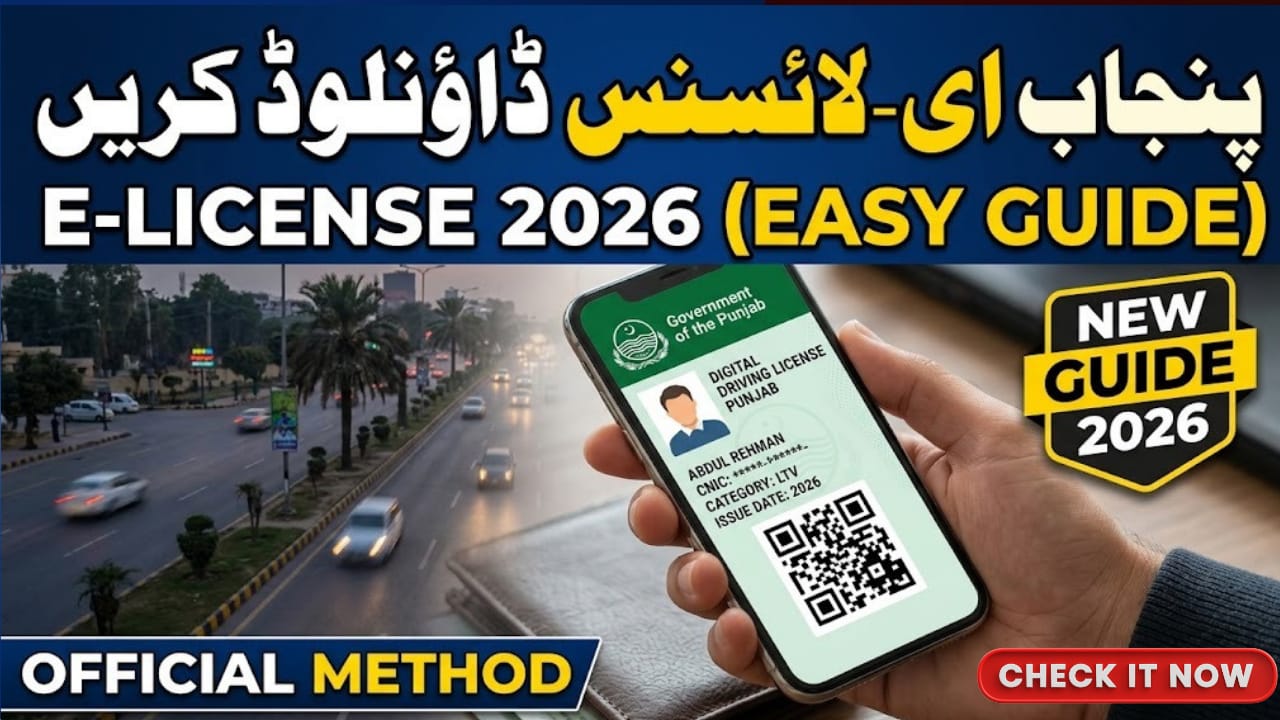

How To Download E-License from Punjab Traffic Police
In 2026, the Punjab Traffic Police, in collaboration with the Punjab Information Technology Board (PITB), has made driving licenses completely digital. The E-License now serves as a legally valid electronic driving permit, accessible on your smartphone. Whether you are renewing your license, replacing a lost card, or applying for the first time, this guide will help you download your E-License quickly and safely. The entire process is simple, free, and officially recognized under the DLIMS system.

Table of Contents
Read Also: Sindh Announces Spring Holidays
| Feature | Punjab E-License 2026 |
| Digital Access | Instant download via DLIMS |
| Verification | QR code for authenticity |
| Cost | Free of charge online |
| Validity | Linked with active license in DLIMS |
| Paperless | No need to carry a physical card |
| Supported Devices | Smartphone, Tablet, Computer |
| Integration | Linked with national CNIC database |
| Portal Link | Official DLIMS Punjab website |
What is the Punjab E-License?
The Punjab E-License is a digital version of your driving permit available through the Driving License Issuance Management System (DLIMS). Each E-License comes with a secure QR code that traffic wardens can scan to confirm your driving credentials. According to 2026 regulations, showing your E-License on your phone holds the same legal authority as a physical card. Information in this guide is sourced from the official Punjab Traffic Police website and top Google sources covering driving license updates.
Benefits of the E-License
1. Instant Access: Available immediately after license approval or renewal.
2. Paperless Convenience: No need to carry a physical card or worry about loss.
3. Built-in Verification: QR code ensures authenticity and prevents forgery.
4. Cost-Free: Official downloads from DLIMS are completely free.
Step-by-Step Guide to Download E-License
Follow this simple process to get your E-License in under two minutes:
- Visit the Official Portal: Go to the DLIMS Punjab website.
- Locate the E-License Tab: Click the “E-License” option on the homepage.
- Enter Credentials: Provide your CNIC number (without dashes) and select your date of birth.
- Verification: Complete the captcha security check displayed on the screen.
- Generate & Download: Click “Generate E-License” and save the PDF or screenshot it for smartphone access.
Punjab Driving License Fee Structure 2026
| License Category | Annual Fee (PKR) | Testing Fee (PKR) |
| Motorcycle | 500 | 50 |
| Motor Car / Jeep | 1,500 | 150 |
| LTV (Light Transport) | 2,000 | 150 |
| HTV (Heavy Transport) | 2,000 | 200 |
| International License | 1,000 | N/A |
Important Tips for 2026
1. 42-Day Rule for Learners: You must wait 42 days after your Learner Permit to attempt the practical driving test. E-version of the Learner Permit is instantly available online.
2. Verify via 8171 & DLIMS App: Keep your CNIC updated as the system is integrated with national databases for faster verification. Use the Punjab Police Pakistan app to save your E-License digitally.
3. Validity: E-License is valid only if your license is active in the DLIMS database. Expired licenses will show an “Expired” status.
4. Secure Access: Always download from the official DLIMS portal to avoid fake applications.
Helpline & Contact
- Punjab Traffic Police Helpline: 042-111-786-786
- DLIMS Support: https://www.dlims.punjab.gov.pk
- Punjab Police Contact Center: 15
- NADRA Helpline (for CNIC queries): 1777
Conclusion
Downloading an E-License from Punjab Traffic Police in 2026 is simple, fast, and officially recognized. It saves time, ensures secure verification through QR codes, and eliminates the need to carry a physical card. Citizens should always use the official DLIMS portal and the Punjab Police Pakistan app to keep their E-License safe and accessible.
FAQ
How can I download my Punjab E-License?
Visit the official DLIMS Punjab website, enter your CNIC, verify the captcha, and generate your E-License.
Is the E-License legally valid?
Yes, in 2026 the digital E-License is legally equivalent to a physical driving card.
Can I download my E-License for a Learner Permit?
Yes, Learner Permit holders can download the E-Version immediately after issuance.
Do I need to pay for the E-License download?
No, downloading the E-License from the official portal is completely free.
Latest Updates
 Breaking: 8171 Fresh March Update 2026 – Check Rs.13,500 Payment via BISP Portal
 Breaking: BISP 8171 Eid Payment 14500 Start Today – Check Online & Latest Update 2026
 Breaking News: Petrol Diesel Prices in Pakistan May Rise Before Next Update – New Petrol Price Forecast 2026
 Breaking: NADRA CNIC Smart Card Check New Features March 2026 – Complete Step-by-Step Guide
 Breaking News: Livestock Card Third Installment 2026 Released – Check Eligibility & Payment Method Now
 Breaking: BOP Announced ATM Cardfor BISP 2026 Payment (Step-by-Step Guide)